AI Agent Evaluation: How to Score the Handoff to a Human
Neal Travis · · 12 minutes read

WordPress.com’s support team recently reported that about one in four conversations with their AI support assistant ends with a person, and in about half of those handoffs, it’s the assistant that suggests it, not the customer. The AI agent decides on its own that it’s the wrong tool for the job.
That result comes from getting three specific things right: knowing upfront which topics a bot should never touch, recognizing the moment inside a conversation when it’s time to step aside, and handing over enough context that the customer doesn’t have to start over.
It also exposes a gap in how most teams handle AI agent evaluation. If your AI agent is live and the main number you report is how many tickets it closed, you’re measuring the conversations the bot kept. You’re not measuring whether it let go of the right ones at the right time. The handoff is a moment you can score, the same way your QA process already scores a human agent’s reply.
In this article, we’ll cover how to set guardrails for topics that shouldn’t go to a bot at all, how to build timing triggers around interaction count and sentiment, what has to travel with the handoff, why deflection rate can’t show you whether any of this is working, how to score all three on a QA scorecard you already run, and how to review the conversations the bot held on to when it should have let go.
Guardrails: decide upfront which topics never go to the bot
Some contact reasons shouldn’t need a failed bot attempt to reach a person. They should be routed to a human by policy, before the conversation even starts. Billing disputes, account security, anything with legal exposure, and cancellations tied to a contract dispute are common candidates. Set these as a guardrail list your AI agent checks against on intent detection, not something it discovers halfway through a troubleshooting attempt.
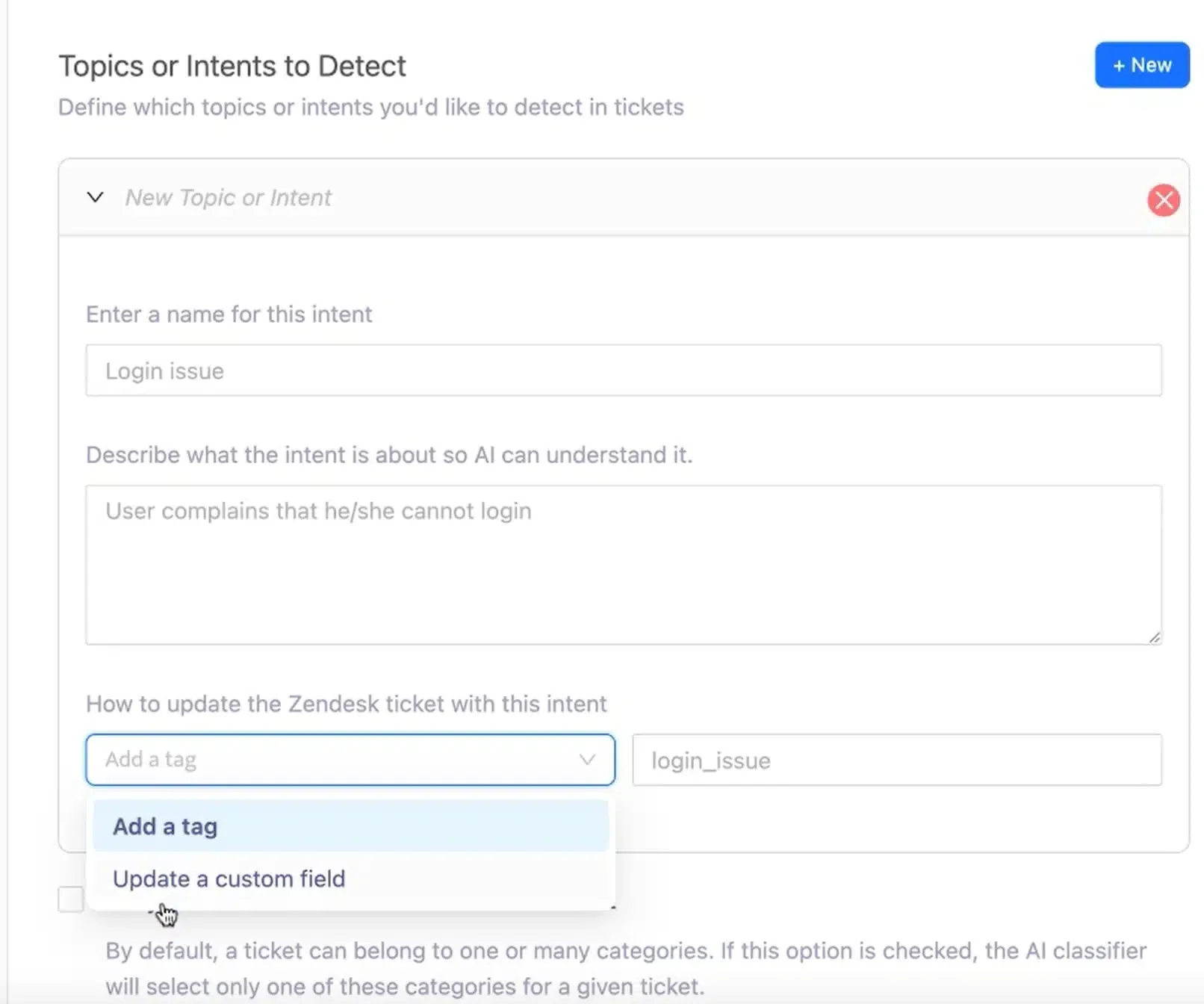
A guardrail list is only as reliable as the way you identify contact reasons. Swifteq’s Ticket Classification app uses AI to classify incoming Zendesk tickets into the fields you define, such as contact reason, so your routing rules have a consistent value to act on. It also pays off later: when QA reviews handoffs, reviewers can filter by contact reason instead of guessing from the transcript.
Tier policy is a guardrail too, and it’s worth setting deliberately rather than inheriting by default. WordPress.com gates human access by plan: the handoff to a person comes with paid plans, while free sites get the support assistant, community forums, and support guides. Some teams leave a narrow door open on lower tiers instead, letting the bot hand over only once it has found a bug or determined it can’t solve the issue. Whether either approach is right for your business depends on your margins and your customer base, but it should be a decision your team made on purpose, not a setting nobody reviewed since launch.
That policy also changes how you should score those conversations. If free users can’t request a person, a free-tier conversation where the bot held on isn’t automatically a timing failure, because the policy told it to hold on. What you score instead is whether the bot applied the policy correctly. Did it recognize the bug, or admit it couldn’t help, when it should have? Or did it keep the customer in a loop the policy was never meant to trap them in? Store plan tier on the ticket so reviewers know which rules applied before they score.
Timing: know when the AI agent should step aside
Guardrails catch what a bot should never touch. Timing is about the much larger set of conversations a bot should try first, and knowing exactly when trying stops being useful.
Get this wrong in one direction and you hand off too early: the AI agent gives up on a conversation it could have resolved, the customer answers the same questions again for no reason, and you’ve spent a human agent’s time you didn’t need to spend. You’ve also thrown away containment you’d already earned. Get it wrong in the other direction and you hand off too late: the AI agent keeps trying past the point of usefulness, and the customer gets more frustrated with each failed attempt. That customer arrives at your human team already furious, and the human agent picking up the ticket is doing damage control before they’ve even looked at the original problem.
The WordPress.com assistant runs a short set of checks on itself before stepping aside, and it’s a useful model to copy regardless of which platform you’re running:
- Has this customer asked to speak with a person? That’s the strongest possible signal and shouldn’t need to be earned twice.
- Have they asked before, earlier in the same conversation? A repeated request is a customer telling you the bot isn’t landing.
- Have they already contacted support about this exact issue? If a ticket already exists for the same problem, that context should escalate the case, not restart it.
- Is this a contact reason a bot should never handle on its own? Upfront routing catches most guardrail topics, but some only surface mid-conversation. A question about exporting a site can turn into a billing dispute three messages later. The bot should check again as the conversation develops, not only at intent detection.
Add a threshold-based trigger on top of those checks: a fixed number of back-and-forth exchanges without progress, or a negative sentiment score, should escalate automatically rather than waiting on the customer to ask. Zendesk’s intelligent triage, for example, can detect sentiment on incoming conversations. That gives you a concrete signal to act on instead of leaving the call to the bot’s own judgment every time.
Context: what has to travel with the AI agent handoff
Getting the timing right only helps if the person picking up the ticket has something to work with. Picture a customer who’s already gone back and forth with a bot. Maybe they filled in a form and answered a few clarifying questions. Then they ask for a person, and that person opens the ticket with no summary and no view of what was already said. That customer is starting over, no matter how quickly the handoff happened.
Zendesk’s CX Trends 2026 research found that 74% of consumers get frustrated when they have to repeat information across interactions, and 81% want an agent to continue the conversation rather than backtrack to the start. A handoff that forces backtracking is exactly the thing most customers have already told researchers they hate.
That’s why, at AIHR, we built our escalation path around a single thread instead of a handoff between two separate systems. Our AI agent has a very low bar to reach a person: a customer can ask for a human at essentially any point, and we don’t wall that off behind extra hoops. The request goes straight into the same thread the bot was already using, so a human can do the prework, read what’s there, see what the customer has already provided, and pick up the conversation instead of restarting it.
That only works when the key information sits in structured fields the human agent can see immediately, not buried in a scrollback they have to reread. This is where Swifteq’s apps earn their place. Ticket Classification fills in fields like contact reason as the ticket comes in, so the human agent knows what they’re picking up before reading a word. If the customer shared a screenshot, invoice, or PDF with the bot, Document Parser OCR pulls the text from those attachments into ticket fields, so nobody asks the customer to retype an order number they already sent. And when it’s time to reply, Agent Co-writer helps the human agent draft a response in Zendesk that builds on the conversation instead of restarting it.
Why ticket deflection and deflection rate can’t show you any of this
Ticket deflection is when a customer’s issue gets resolved without a human agent touching it, whether by an AI agent, a help center article, or a community forum. Deflection rate is the percentage of conversations that end that way.
Most AI agent evaluation still starts and ends with deflection rate. It tells you how many tickets a human never touched. It can’t tell you whether those were the right tickets, or whether the ones that did reach a human got there at the right moment. Both handoff failure modes hide inside it:
- Handing over too early lowers deflection rate, but the number can’t tell you why. A bot that gives up on conversations it was one reply away from resolving looks the same as a bot that’s out of its depth. You’ve thrown away containment you already earned, and the fix you reach for, like more training content or a new model, may not be the one you need.
- Handing over too late can make deflection rate look better. A customer who gives up after the fifth failed answer and closes the chat may be counted as deflected. The one who pushes through reaches a human already furious, and nothing in the deflection number shows how long they were stuck first.
A guardrail topic can slip through, the bot can hold on past the point it should have handed off, or the customer can end up repeating everything once a person shows up, and the percentage reads the same either way.
That’s the real problem with treating deflection rate as your headline metric. It averages guardrail misses, bad timing, and lost context into a single percentage and calls the result progress, when any one of those three could be costing you customers.
How to score handoff quality on your AI quality assurance scorecard
You almost certainly already run a support quality assurance (QA) scorecard for your human agents, with weighted categories like accuracy, tone, and adherence to procedure, each scored on a consistent scale. Handoff quality belongs in that same structure. Score each new criterion on the same scale the rest of your scorecard uses, whether that’s 1–3 or pass/fail.
- Add a guardrail-compliance check. Did this ticket touch a topic on your never-route-to-bot list, and if so, did it reach a human immediately rather than after a few bot attempts? If contact reason is already a classified field, reviewers can check this in seconds.
- Add a timing check. Did the bot hand off at a sensible point, based on your escalation criteria, rather than after the fifth failed attempt or before it had tried at all? If you can, record early and late handoffs separately. They have different fixes: early handoffs usually point to how cautious the bot is set to be, and late ones to missing escalation triggers. For tiers with gated access, score whether the bot applied the policy correctly instead.
- Add a context check. Did the human agent have to ask the customer to repeat information already given in the conversation? Did the key details reach ticket fields, or did the human agent have to dig through the transcript for them?
- Weight all three honestly. If repeat-yourself friction or a missed guardrail is costing you CSAT, weight the criteria accordingly rather than burying them as token line items.
It’s a small addition to an existing process, which is what keeps it cheap enough to maintain.
How to review the conversations your AI agent held on to
Deflection rate can’t show you the tickets the bot kept and shouldn’t have, because by definition those never reached a human to get flagged. You have to go looking for them. This is the part of AI agent evaluation that most teams skip.
- Pull a monthly sample of “resolved by AI” tickets, not the escalated ones. Fifty is a reasonable starting sample size for most teams, enough to catch a pattern without turning it into a full-time job.
- Read each one for the failure signature behind the resolved label. Look for a customer who stopped responding mid-conversation, repeated the same question with rising frustration, or gave a short, flat final reply. Those read as “resolved” in your system and as “gave up” to the customer.
- Check whether a guardrail or timing trigger should have fired. If the ticket touched a guardrail topic or ran past your interaction-count threshold without escalating, that’s a gap in your bot’s logic worth fixing directly.
- Feed confirmed misses back into the same QA process, scored against the criteria you added above, so the pattern shows up in reporting instead of living in one reviewer’s notes.
If you’ve connected Zendesk to Claude or ChatGPT through Swifteq’s MCP Server, you can speed up the first pass. Ask the AI assistant to find AI-resolved conversations where the customer repeated a question or went quiet partway through, then have a reviewer read that shortlist. The AI narrows the sample, and a person still makes the call.
Run a smaller sample of escalated tickets the same way to catch the opposite failure: handoffs where the bot was one answer away from resolving the issue.
Score the AI agent handoff itself
Good AI agent evaluation looks past how much work the bot kept. A good AI agent handoff comes down to three things: guardrails that keep the wrong topics away from the bot entirely, timing that catches the moment a conversation stops making progress, and context that survives the trip to a human. Deflection rate measures none of those. It only tells you how much work stayed off a human’s desk.
If you have an AI agent live and you’re still reporting deflection rate as the main number in your weekly update, add the three criteria above to a scorecard you already run, and start treating AI agent handoff quality as something your team gets scored on, because your customers already are scoring it.
From a sample of fifty to every handoff
The monthly review above works, but it has a ceiling. Fifty tickets is a sample, and the conversations where the bot held on too long tend to sit in the ones nobody opened. Checking guardrails, timing, and context on every conversation would take more reviewer hours than any team has.
That gap is what ResolveLoop was built for. It reads every closed Zendesk ticket, including the ones customers never rated, and checks whether the customer’s problem was actually solved. Tell it which Zendesk user your AI agent posts as, and it labels those messages as automated, so the human agent is scored only on their own replies. The person who inherits a customer the bot held on to for too long isn’t marked down for the frustration they walked into.
When the customer still left unhappy, ResolveLoop names where the cause sat: the agent, the product, a policy, or the process. A handoff that came too late, a routing gap, or context that never reached the person picking up the ticket is attributed to the process, with a written reason for the verdict. It’s the same pattern this article asks you to look for, across the whole queue instead of fifty tickets.
ResolveLoop also writes its verdicts back to each ticket as Zendesk tags, which is where the MCP Server comes in. With Zendesk connected to Claude or ChatGPT, you can ask follow-up questions in plain language: which contact reasons produced the most process failures last month, or what the unresolved tickets that ended with an angry customer have in common. The AI assistant reads the tickets behind each answer, so you can open the examples yourself before changing your bot’s escalation rules. The MCP Server is free for up to 500 calls a month, no credit card required.
If you have an AI agent live and want to see how its handoffs hold up across every ticket, book a 30 minute ResolveLoop walkthrough on your own Zendesk data.